Shopping cart
Header title
Summary
Summary / page intro.
Use up to 60 words.
Designer title (Designer / In collaboration with) Voornaam Achternaam
Button text / optional / Type primaryThis landing page contains an overview of the available content blocks and all the possibilities within them. Below is an instruction on how to create and add a content block. You can also use the Optimizely environment of this page to check how blocks have been created.
Instructions for creating a content block:
- In Optimizely, the menu on the left gives an overview of the page structure and the menu on the right is the place where content blocks can be stored in a structured way.
- Click on 'Blocks' in the menu on the right at the top
- Select the folder of the page you want to edit. All folders are already in here (in alphabetical order), so you can quickly choose the folder you need.
- If you create a new page, you can create a new folder for it. Make sure it is added in the right place.
- Below the folder tree, click + New block or the + sign.
- Choose the block you want to create and fill in all the information. Below you can see what each block looks like.
- Click Create or Publish. The block has not yet been placed anywhere.
- Drag the block from the right menu to 'Main content' in the middle menu, the menu where you process all information and content blocks.
- Click Publish again.
- You can also always wait to publish until the entire page is ready. The content you've placed in blocks and on pages will remain.
Button use:
Look at each situation to see what is most suitable, but in general you can follow these guidelines.
- Read more button: for Call to action, for example 'Request a quote now'
- Read more link: for example at 'Read more' or 'More information'
Half Screen
Title in heading 4
- Text in Paragraph
- Up to 60 words in a Half Screen
- An image or video can be added as content (format = landscapem)
- Ability to switch visual content and text (select 'Media First' in settings)
- Select 'Full Width' if you want this block to be aligned wider.
Half Screen Block
Title | This block is mostly used for contact information
Text | For example use an image in Square M
Required: Button text / More information and refer to contact page
Title | This block is mostly used for contact information
Text | For example use an image in Square M
Required: Button text / More information and refer to contact page | Dark Theme Option (Blue Background)Cluster half | Two options
Cluster
Title
- Maximum 30 words
- Possibility to add a link in the form of a button
- Button colors:
- Primary & White: Blue background and white text
- Secondary: White background and black text
- Dispositive: White background and blue text
- Button colors:
Title
- Maximum 30 words
- Add option download block
- Select External boxes (so that the link opens in a new tab) and Is download (downloadable)
- Button colors:
- Primary & White: Blue background and white text
- Secondary: White background and black text
- Dispositive: White background and blue text
Facts
Fact header
Details
Fact header
Details
Fact header
Details
Inspiration Grid
- Insert 2, 4 or 6 images (Portrait M or Landscape M)
- Select option 'Big image first' to adjust the order
Inspiration Grid image types:
- portrait of portraiti
- landscapem
- landscapem
- landscapem
- landscapem
- portrait of portraiti
Title
Paragraph
Title: Header 4
- The running text is written in the font 'Paragraph'
- Content block alignment options: Wide, Normal, Narrow
Options to place quotes next to text
You can add a fact and a quote in a paragraph. It is best to place it above the text in the paragraph in the settings:
Lorem ipsum dolor sit amet, consectetur adipiscing elit, sed do eiusmod tempor incididunt ut labore et dolore magna aliqua. Ut enim ad minim veniam, quis nostrud exercitation ullamco laboris nisi ut aliquip ex ea commodo consequat. Duis aute irure dolor in reprehenderit in voluptate velit esse cillum dolore eu fugiat nulla pariatur. Excepteur sint occaecat cupidatat non proident, sunt in culpa qui officia deserunt mollit anim id est laborum.
Sed ut perspiciatis unde omnis iste natus error sit voluptatem accusantium doloremque laudantium, totam rem aperiam, eaque ipsa quae ab illo inventore veritatis et quasi architecto beatae vitae dicta sunt explicabo. Nemo enim ipsam voluptatem quia voluptas sit aspernatur aut odit aut fugit, sed quia consequuntur magni dolores eos qui ratione voluptatem sequi nesciunt. Neque porro quisquam est, qui dolorem ipsum quia dolor sit amet, consectetur, adipisci velit, sed quia non numquam eius modi tempora incidunt ut labore et dolore magnam aliquam quaerat voluptatem.
Parallax
- Insert Image | headerxxl
- Insert button text
List/Downloads in columns
- Option 1: 'Show harmonica' not selected
- Option 2: 'Show harmonica' is selected via 'Content' tab
- List item 1
- List item 2
- Etc...
Title
- List item 1
- List item 2
- Etc...
Title 2
- Remode- DOCUMENT - Brochure
Title 3 (example: Downloads)
- List item 1
- List item 2
- Etc...
- List item 1
- List item 2
- Etc...
Quote
Option 1: Content block = Quote
Option 2: Content block = Quote image
‘This is a quote. Don't make the quote too long. You don't need to add quotation marks. Block alignment adjustable to: Wide, Normal, Narrow, Extra narrow’
Section
- When using a 'Section' content block, the title of this block is also displayed at the top of the page. By clicking on this option on top of the page, the visitor is led directly to this part of the page.
Title: This is a section component
History (Card Component)
- The basic block is content block 'History'.
- To place content in it and turn it into a slider, add content blocks 'History Card Component'.
- This content block was originally conceived to represent a timeline. This can also be used for other purposes.
- Alignment adjustment: Wide, Normal, Narrow
-
Hier kan je tekst kwijt over het beeldTitel
Subtitel
Tekst Beeld: Landscapexl -
TitelSubtitel
Titel
Tekst | Beeld: Landscape XL -
Image CaptionTitel
Subtitel
Tekst | Beeld: LandscapeXL
Image Buttons + Image Buttons Media
- The basic block is content block 'Image Buttons'
- To fill it with content, add 'Image Buttons Media'
- Image: Landscape M
- Title
- Text
- Display of link: Button | Read more | Dangerous
- You can add as many Image Buttons Media as you want. The alignment of the blocks remains the same.
Expander Block + Expander Item Block + Product Overview Page + Sustainability Page
- The base block is content block 'Expander Block'
- To fill it with content, add 'Expander Item Block'
- This consists of:
- Title
- Text (bold)
- Buttons
- Main Content
- Fill with Content Block "Page Overview Block"
- Fill the "Page Overview Block" with "Sustainability page" content blocks
- This consists of:
- Fill the 'Sustainability Page' content block with:
- Image: Landscapem
- Overview Title
- Overview Text
- Overview Link
- Text (for example: Read more)
- Dangerous
- Type of link: Read more of Link
This is how you get a layout:
Expander Block
-
- Topic 1 = Expander Item Block
- Page Overview Block
- Subtopic 1 = Sustainability Page
- Subtopic 2 = Sustainability Page
- Subtopic 3 = Sustainability Page
- Topic 2 = Expander Item Block
- Page Overview Block
- Subtopic 1 = Sustainability Page
- Subtopic 2 = Sustainability Page
- Subtopic 3 = Sustainability Page
- Topic 3 = Expander Item Block
- Page Overview Block
- Subtopic 1 = Sustainability Page
- Subtopic 2 = Sustainability Page
- Subtopic 3 = Sustainability Page
- Topic 1 = Expander Item Block
You can also only use the Product Overview Block and Sustainability Pages. See example two.
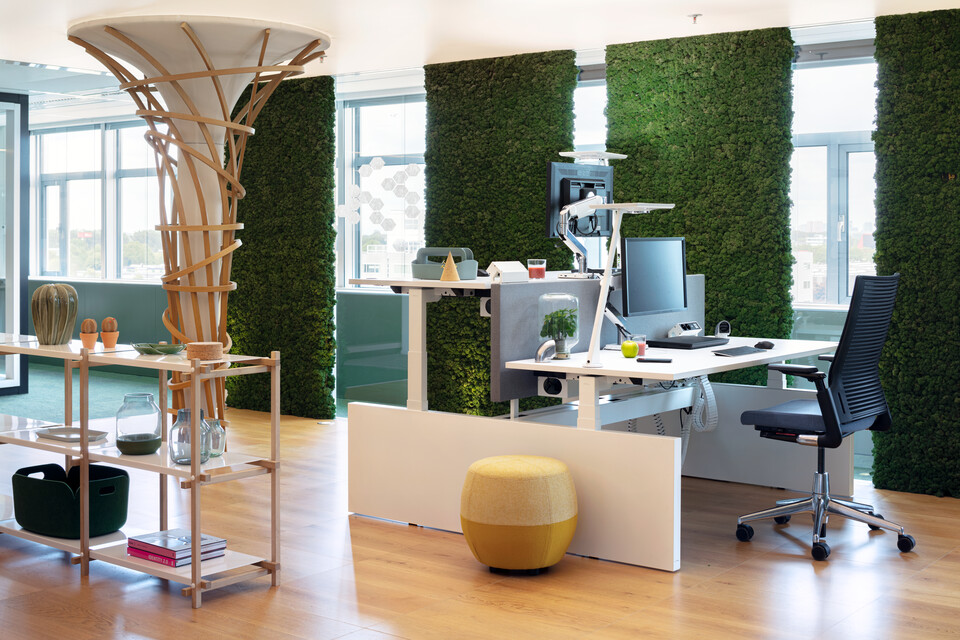
A sustainably furnished office will allow organisations to greatly improve their environmental and governance targets. All our furniture is modular, sustainably produced and designed to last multiple lifecycles.
Circular Design
Our furniture is modular, lightweight, easy to disassemble and designed according to Ecodesign principles.
Read more
Low Environmental Impact
By 2030, we will have full Life Cycle Assessments (LCAs) for all of our own products, enabling us to further reduce their environmental impact.
Read more
Sustainable Materials
We circulate materials through innovation and by choosing recycled materials that are also recyclable.
Read more
Safe for People and the Environment
Materials must be safe before we incorporate them into our circular system. We require our suppliers to comply with RSL and SVHC standards according to the latest REACH regulations.
Read more
Indoor Air Quality
We test all our own products for their impact on indoor air quality. By 2030, they will meet the highest standards as per ANSI/BIFMA M7.1.
Read moreThrough our circular services, we keep our furniture in use for as long as possible, delay recycling and avoid the need for constant new production. This is how we close the furniture loop and prevent the products from ending up in a landfill.
Value Hill
Through our circular business model, we produce closed-loop furniture, components and materials.
Read more
Revived Collection
By 2030, 20% of our furniture sales will come from refurbished items (sold under our Revived label).
Read more
Furniture as a Service
Every year, our circular service; ‘Furniture as a Service’, grows within Benelux by €5 million in turnover, with a projected €35 million by 2030.
Read moreWe are working towards our long-term goal of achieving net-zero emissions by 2050. This target is part of the Science Based Targets Initiative (SBTi), to which we are committed. It means we will completely eliminate greenhouse gases from all our operations by 2050, including emissions from our five factories, warehouses and supply chain.
Production and Operations
By 2030, we will have reduced our operational CO2 emissions in Scope 1 and 2 by 70% compared to 2018.
Read more
Procurement
Our procurement policy focuses on biodiversity and sustainable forest management.
Product Portfolio
By 2030, the CO2 emissions from our sold products will be 25% lower when compared to 2018.
Read more
Transport
By 2030, emissions from transport in Europe to our customers will be reduced by 60% when compared to 2018.
Read more
Waste Management
We aim for closed-loop systems for our materials, in which our production waste is recycled into new materials for our furniture collections.
Read moreWe believe it is important for everyone to have a place in society. This is why we work towards healthy and ethical working conditions across our entire supply chain, both within and outside our company. This benefits our employees, customers and stakeholders.
Diversity, Equality and Inclusion
People are at the heart of everything we do. For this reason, we focus on gender diversity and social employment, fostering a company culture of equality and inclusion.
Read more
Well-being
Our employees should feel happy and healthy when working with us. This is why we aim for a score of 7.5 or higher on our employee satisfaction survey.
Read more
Ethical Business Practices
We believe it is important to conduct business with honesty and integrity. That is why all our employees follow our Code of Conduct. Our partners and suppliers are required to act in accordance with our Business Partner Code of Conduct.
Read more
Supplier Management
We aim to evaluate our suppliers on socially and environmentally responsible practices and seek partnerships with social enterprises.
Read more
Diversity, Equality and Inclusion
People are at the heart of everything we do. For this reason, we focus on gender diversity and social employment, fostering a company culture of equality and inclusion.
Read more
Well-being
Our employees should feel happy and healthy when working with us. This is why we aim for a score of 7.5 or higher on our employee satisfaction survey.
Read more
Ethical Business Practices
We believe it is important to conduct business with honesty and integrity. That is why all our employees follow our Code of Conduct. Our partners and suppliers are required to act in accordance with our Business Partner Code of Conduct.
Read more
Supplier Management
We aim to evaluate our suppliers on socially and environmentally responsible practices and seek partnerships with social enterprises.
Read more